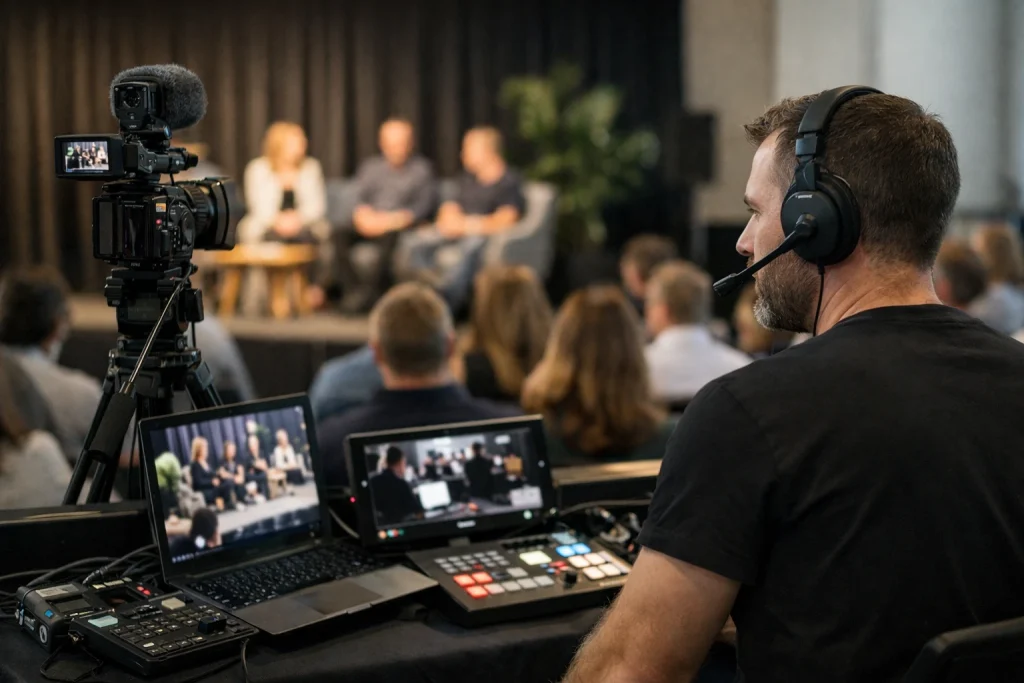
A lapel mic clicks on in a quiet Brisbane venue before the doors open. One camera is aimed at the lectern. Another is framed wider to catch the aisle. On a phone near the back row, a technician refreshes a test link while family members interstate wait to log in.
That small moment tells you what a good stream really does. It makes distance feel smaller without pulling focus from the room itself. When you compare live streaming services Brisbane options, you are not just paying for cameras or cables. You are paying for clarity, timing, and a smoother experience for people who cannot be there in person.
The right setup depends on the occasion. A memorial needs privacy and discretion. A wedding needs warmth. A conference-style gathering at South Bank usually needs stronger speaker coverage, cleaner audio, and a recording plan. Start with these seven checks, and your decision gets much easier.
1. Match the service to the event type
What it is
Watch This Helpful Video
To help you better understand live streaming services Brisbane, we’ve included this informative video from First Coast News. It provides valuable insights and visual demonstrations that complement the written content.
This means choosing a stream designed for the purpose of the event and the people watching it. Some providers publicly list wedding and funeral livestreams alongside hybrid event streaming and related production support. That range matters because each setting asks for a different pace, camera style, and level of access control.
Why it matters
People usually join a stream because distance, age, disability, travel cost, or timing keeps them away. Providers describe live streaming in exactly that way: a method for including people who cannot physically attend. If the format feels generic, remote guests notice straight away. A funeral should not feel like a sports broadcast. A panel discussion should not be filmed like a private family ceremony.
Build the stream around the event’s purpose, not around the equipment list.
Quick example
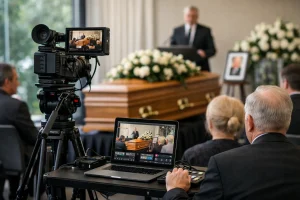
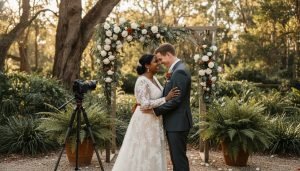
A funeral stream should feel calm and discreet, with steady framing and no fussy camera moves. A conference-style stream, by contrast, needs clear speaker coverage, readable slides, and smooth handovers between presenters. A wedding sits somewhere else again — warm, unobtrusive, and focused on vows, reactions, and the key people in the room.
| Event type | Best stream style | Most useful control | What cannot fail |
|---|---|---|---|
| Wedding | Warm, unobtrusive coverage | Invite-only link | Clear vows and ceremony audio |
| Funeral or memorial | Discreet, steady framing | Private access | Reliable audio and respectful operation |
| Conference or seminar | Speaker-led production | Replay and recording | Speech clarity and slide visibility |
| Hybrid or community event | Wide room coverage with flexibility | Simple access for many viewers | Consistent connection and readable framing |
2. Choose a local Brisbane team that can actually cover the venue
What it is
You want a provider that genuinely services Brisbane and can confirm venue logistics early. That sounds obvious, yet it is where many bookings wobble. A local team usually knows the difference between a chapel with tight setup rules, a hotel ballroom with a loading dock schedule, and a council venue where bump-in times are fixed to the minute.
Why it matters
Local crews are easier to brief, easier to reach, and easier to troubleshoot with on the day. Some Brisbane providers list their service area as Brisbane, Queensland, Australia, and publish local contact details and office hours. Those details do not guarantee quality, but they do show availability and local intent. That matters in a national market. RevenueBase reports that Australia had 130 broadcast and live streaming services headquartered here as of September 2026, with Sydney the largest hub. In other words, plenty of providers exist, but not all are close enough to help fast when access changes at 7:15 a.m.
When the start time cannot move, local support is worth more than a cheaper quote.
Quick example
A city hotel may give you one hour for setup and insist on cable runs staying clear of fire exits. A suburban chapel may allow earlier access but have limited parking and patchy guest Wi-Fi. A local Brisbane crew is more likely to ask the right questions before the day, not while guests are already taking their seats.
3. Test the venue internet and plan a backup path
What it is

This is a simple two-part process: test the connection you plan to use, then line up a fallback. Reference material describes live streaming as using modern video camera equipment and the internet to broadcast to viewers anywhere in the world, who can watch on a PC, tablet, or smartphone. That promise only holds if the upload path at the venue is stable enough to carry the stream.
Why it matters
A venue may advertise “fast Wi-Fi” and still struggle once 150 guests arrive and start posting photos. We see this often in function rooms and older church buildings. The audience does not care whether the failure came from a congested router, a weak signal, or an overloaded guest network. They only know the link froze during the vows or buffered through the keynote.
No connection test, no reliable promise.
Quick example
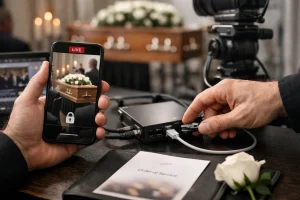
Run a speed test at the same time of day as the event if you can. Test the exact room, not just the foyer. If the venue Wi-Fi is shaky, keep a backup hotspot or secondary data connection ready. Even a basic fallback plan can save the stream when the house network drops out for 90 seconds.
4. Prioritise audio before picture
What it is
This is the part of the job that covers microphones, audio levels, and a clean live mix. Spoken sound sits at the centre of many live productions. Whether it is a celebrant, a minister, a keynote speaker, or a panel moderator, the voice carries the meaning.
Why it matters
Viewers forgive a slightly imperfect picture far faster than they forgive missed words. If your remote guests cannot hear the eulogy, the vows, or the announcement of award winners, the stream feels broken even when the video looks sharp. This is especially true for sensitive events, where emotional context lives in the voice as much as the image.
If you can only fix one part of the stream, fix the audio.
Quick example
Use lapel mics for speakers who move, a lectern mic for formal presentations, and a room mic when you want applause or audience reaction to feel natural. For a seminar at a Brisbane hotel, you might combine the venue’s house feed with a backup microphone near the stage. For a wedding, one clipped mic on the celebrant can make a dramatic difference.
5. Use multiple camera angles when the room has movement
What it is
Multi-camera coverage means using two or more angles to follow the action from different positions. One camera gives you proof the event happened. Two or more cameras help you tell the event clearly.
Why it matters
People move. They turn to face the audience. They step away from the lectern. A bride and groom shift during the ceremony. A panel speaker in a conference room leans back while another takes the floor. One locked-off shot can work for a while, then fail at exactly the wrong moment.
One locked-off shot works until the key moment happens off camera.
Quick example
A wide shot can hold the full room while a tighter camera covers the vows, keynote, or Q&A speaker. In a panel session, one angle may stay on the full stage while another cuts to the active speaker. That small upgrade makes the stream easier to follow and far less tiring to watch for 45 minutes or longer.
6. Add simple graphics and privacy controls
What it is

This covers intro cards and who gets access to the stream. Some providers also offer access controls and private-link viewing for remote guests. You may not need every feature, but they show how much clarity and control a stream can carry.
Why it matters
Intro cards give people confidence they clicked the right link. Privacy controls matter just as much. A memorial may need a private link for family only. A staff town hall may need restricted access. A public fundraiser might be perfect for social platforms. The point is choice.
Not every event should be public.
Quick example
For a memorial, a simple title card and private access link are often enough. For a seminar, keep the access controlled and make the stream easy to join so late viewers can catch up in seconds. If you expect a broad audience, publish clearly. If the moment is personal, keep the stream controlled and share the link carefully.
7. Decide whether you need recording, replay, or post-event clips
What it is
A stream does not have to vanish when the event ends. Recording saves the full program for later viewing. Replay tools and short clips can extend its value well beyond the live window. Many productions now plan for life after the live moment.
Why it matters
Not everyone can watch at 2:00 p.m. Brisbane time. Families may be spread across Perth, London, or Singapore. Staff may be in client meetings. A board member may miss the keynote but still need the content the same evening. If the event matters enough to stream once, it may matter enough to keep accessible afterward.
If nobody can watch later, you are leaving value on the table.
Quick example
An organiser might record a keynote for internal training the following week. A family might keep a private memorial recording for relatives who could not travel. A business may trim one 40-minute seminar into three short clips for follow-up communication. Live is only the start.
How to choose the right live streaming services Brisbane option
If the market feels crowded, simplify it. RevenueBase says there were 130 broadcast and live streaming services headquartered in Australia as of September 2026. You do not need to compare all of them. Filter your shortlist through three practical questions: how sensitive is the event, how complex is the venue, and how much support do you need on the day?
Match the provider to the event type
Start with fit. Look for providers that separate wedding, funeral, and hybrid event work, and ask what kinds of jobs they handle most often. Specialists often shape their process around recurring event types. Choose the team whose usual work sounds like your day.
Check what is included
Quotes can look similar until you compare the details. One may include only a single camera and house audio. Another may include multiple angles, recording, private access settings, and a backup internet path. Get the inclusions in writing.
| Question | If the answer is yes | Prioritise this |
|---|---|---|
| Is the event sensitive or private? | Family-only, internal staff, memorial, or legal sensitivity | Private links, discreet crew, controlled sharing |
| Is the venue technically tricky? | Limited access, patchy internet, busy schedule, unusual layout | Local site knowledge, early checks, backup connection |
| Will people need the content later? | Time zones, training, absent guests, post-event comms | Recording, replay, post-event clips |
| Are several people moving or speaking? | Wedding aisle, panel session, Q&A, stage movement | Multi-camera coverage and solid audio |
Compare support
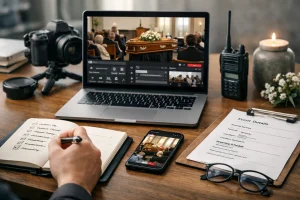
Then compare the human side. Can the team cover your Brisbane venue without guesswork? How fast do they respond? Will they confirm audio, cameras, access settings, and recording before the day? This is where the best quote often beats the cheapest one. You want the crew that removes the biggest risk from your event.
Choose the team that solves the hardest part of your event, not the one with the flashiest pitch.
The hardest part might be a sensitive memorial, a ballroom with strict setup windows, or a seminar where 300 remote staff need a replay link by morning. Name that risk first, and your shortlist becomes much clearer.
The right live streaming services Brisbane setup keeps remote guests included without turning your event into a tech rehearsal.
Start with the event type, then check venue internet, audio, camera coverage, privacy, recording, and local support. Price matters, but a cheaper package will not rescue missed vows, a clipped eulogy, or a keynote nobody can hear.
Which of these checkpoints feels most fragile for your event right now?
Plan With Livestream Company Brisbane Crew
Livestream Company’s Brisbane crew delivers fast setup and on-site support so weddings, funerals, and hybrid events stay accessible to remote guests.