When a funeral is being livestreamed, a few clear details on the funeral notice and order of service make it easy for people to join from wherever they are. Here’s what to include, and a few things to think about first.
What to include on the funeral notice
- A short line about the livestream, for example: “The service will be livestreamed for those unable to attend.”
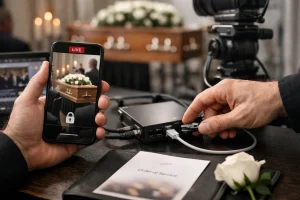
- How to get the link. Either include it directly, or ask people to contact a family member or the funeral director for it. Asking people to request the link keeps it more private.
- The start time with the time zone, such as “11am AEST (Brisbane time)”. Remember that Queensland does not use daylight saving.
What to include on the order of service
A QR code on the printed order of service is useful for people who want to share the stream with someone who couldn’t come, or watch the replay later. A short line such as “Scan to watch the livestream or replay” is enough.
Public or private?
Families can choose how open the livestream is:
- Private link: only people who are sent the link can watch. This suits most funerals.
- Password-protected: a little more control, helpful if the notice will be published widely.
- Public stream (for example on Facebook): easiest to find, but anyone can watch.
If you aren’t sure, a private, password-protected link is a good default.
Let people in the room know
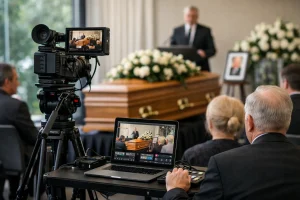
It is courteous to let mourners know the service is being streamed. A short sentence from the celebrant at the start, or a line on the order of service, is usually enough. A discreet crew keeps cameras focused on the speakers and the front of the room rather than on guests.
Decide about the replay
Some families keep the replay available so relatives in other time zones can watch; others prefer the stream to be live only. With Livestream Co, the replay page can stay up for 90 days, or permanently if you’d like to keep it. Either way, the family can keep an HD recording of the service as a keepsake.
We can help with the wording
Every Livestream Co funeral livestream includes a private link and a QR code, ready to print on the order of service. If you’d like help with the wording for the notice or order of service, call us on 07 3003 1110 or send us a message.