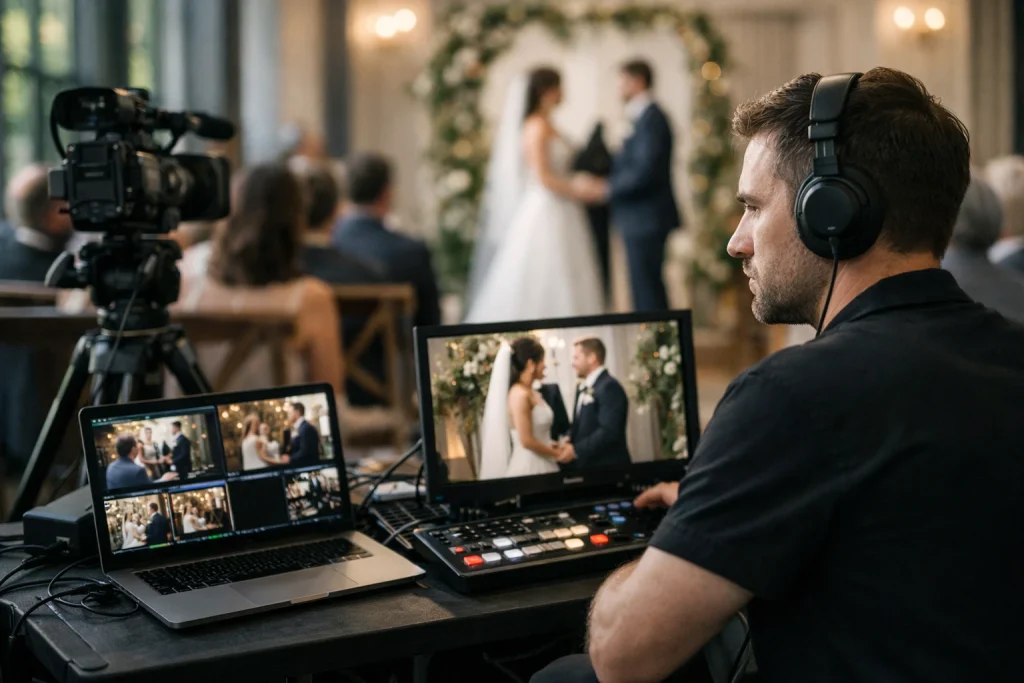
At a Brisbane wedding reception, one cousin is filming the ceremony on a phone while a parent overseas refreshes the private livestream link, hoping the audio holds through the vows.
That scene explains the real job of a good livestreaming service. You are not just sending video to a screen. You are carrying a moment — the first kiss, a eulogy, a keynote, a panel answer — to someone in Perth, Auckland, London, or just across town who cannot be in the room.
When it works, remote guests feel included right then, not hours later. When it fails, they miss the part that mattered.
This guide walks you through the basics, the setup, the habits that improve quality fast, and the mistakes that create stress on event day. The focus is practical. If you are planning a wedding in Brisbane, a memorial in Ipswich, or a hybrid event on the Gold Coast, you will know what to choose and what to test before you go live.
What a Private Livestreaming Service Is and When to Use It
Live video vs. recorded replay
Watch This Helpful Video
To help you better understand facebook live streaming service, we’ve included this informative video from Justin Brown – Primal Video. It provides valuable insights and visual demonstrations that complement the written content.
Live video is a real-time broadcast, and the stream can also be saved for later viewing through a private replay link. That combination matters. You get the urgency and connection of a live moment, plus a replay for anyone who misses it.
Recorded video is different. It is safer, easier to edit, and better when timing does not matter. Live video is better when timing is the whole point — the vows at St John’s Cathedral, the tribute at a chapel service, the opening talk at a Brisbane conference, the Q&A at a seminar where remote staff want to respond in the comments.
| Format | Best for | Strength | Main trade-off |
|---|---|---|---|
| Private livestream | Weddings, funerals, launches, ceremonies, live talks | Real-time connection and shared experience | No editing safety net during the event |
| Recorded video | Training clips, highlight reels, edited recaps | Control over quality and pacing | No live participation |
| Hybrid approach | Events that need both a live audience and a replay | Immediate access plus catch-up viewing | Requires planning before and after the event |
Best-fit events: weddings, funerals, and hybrid events
Some events naturally suit live streaming because the audience cares about being there in the moment, even through a screen. Weddings are the clearest example. A grandparent in New Zealand may not travel, but they still want to hear the vows live, not as a clip posted the next day.
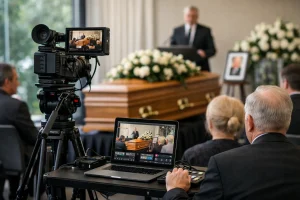
Funerals and memorials also benefit when family members are interstate, overseas, elderly, or unwell. Here, privacy matters as much as picture quality. You should decide in advance whether the stream should be shared through a private link or another restricted-access option.
Hybrid events fit too. They often include remote staff, sponsors, or attendees who cannot make the trip into Brisbane CBD. A live stream keeps them present for the keynote, slide deck, and audience questions without turning the room into a television studio.
Rule of thumb: if the event matters because people need to feel present in the moment, live streaming is usually the right format.
Why Brisbane audiences choose live access
Brisbane audiences often deal with distance in ordinary, unglamorous ways. Family is spread between suburbs, regional Queensland, Sydney, and overseas. Work calendars clash. School pickups happen. Flights cost money. A live stream solves a human problem before it solves a technical one.
It also lets you widen access without changing the event itself. You do not need more chairs, more parking, or more catering. You just need a reliable way to bring people in remotely, whether that is a private stream for a family gathering or a hybrid stream for a gathering with both in-room and remote guests.
For sensitive occasions, especially funerals, access control should be planned before the day. Decide who gets the link, who moderates comments if comments are enabled, whether the replay stays available, and what parts of the service should never be shown. That conversation is easier on Tuesday than it is five minutes before the hearse arrives.
How a Private Livestreaming Service Works From Setup to Replay
Choosing the stream destination and audience
A private livestream usually starts with one simple decision: who should be able to watch? That could be a private link, a restricted viewing page, or another secure delivery method. Your destination shapes everything that follows — visibility, replay access, and who receives the viewing details.
Then you set the audience controls. Public works for festivals, community updates, and promotional events. Restricted access is better for private occasions. If the stream is emotionally sensitive, choose the most controlled setting that still lets the intended viewers watch without confusion.
- Choose the viewing destination first.
- Set privacy and audience access before anything else.
- Write a clear title so viewers know they are in the right place.
- Share the link or instructions ahead of time, especially with older relatives.
If you skip that planning, you create avoidable chaos. Someone ends up messaging, “Where is the link?” while the ceremony has already started.
Using a phone, camera, or streaming software
You can go live with a phone, and for a simple stream that may be enough. A recent iPhone or Samsung device on a tripod can produce a decent picture in good light. For a birthday toast or a short community announcement, that is often fine.
But event streams usually ask more of you. You may need steadier framing, cleaner sound, titles, a second camera, or a way to switch from the speaker to the audience. That is where external cameras and streaming software come in. Tools such as OBS Studio, StreamYard, or vMix make it easier to manage branding, transitions, and multiple sources than a phone alone.
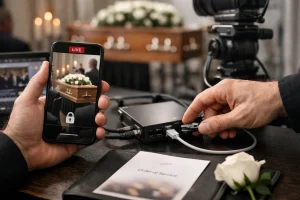
The trade-off is complexity. A phone is simple. A camera-to-laptop setup is more capable, but it introduces cables, capture devices, batteries, and operator decisions. If the audience must hear every word clearly, the extra planning is usually worth it.
Practical rule: if the audience must hear every word, audio planning matters more than camera quality.
Saving, clipping, and sharing the replay
When the live event ends, the job is not over. The recorded stream can be shared afterward so people who missed the event can watch later through private replay access. For a hybrid event, that replay becomes useful internal content. For a wedding, it becomes a keepsake. For a memorial, it lets distant relatives watch privately when they are ready.
Before you share the replay widely, review it. Trim the waiting time at the start if needed. Check whether comments should remain visible. Confirm that names, slides, or private moments shown on screen are appropriate for replay access.
A simple post-event workflow helps:
- Watch the first minute for sound and framing issues.
- Edit the title and description so the replay is easy to find.
- Clip short highlights only if they suit the event tone.
- Tell viewers how long the replay will stay available.
Best Practices for a Reliable, High-Quality Livestream
Audio, lighting, and camera placement
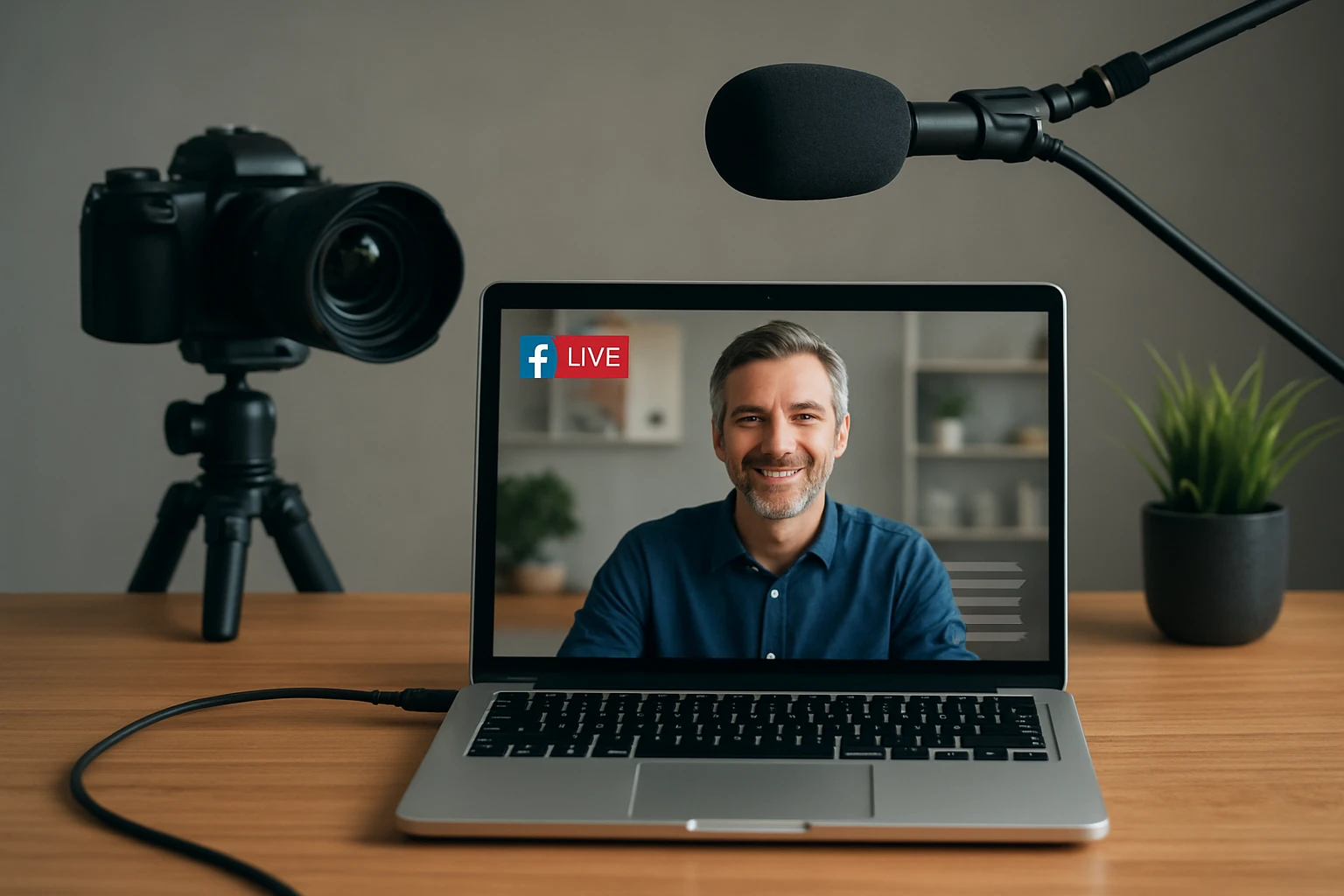
Most viewers forgive a soft picture. They do not forgive muddy sound. If you only upgrade one part of your setup, make it the microphone. An external microphone almost always improves speech clarity more than a better camera does.
For weddings and funerals, get as close to the source audio as you respectfully can. That might mean a feed from the venue PA, a lavalier microphone on the celebrant, or a shotgun microphone aimed toward the lectern. In a church hall or function room, room echo can make beautiful visuals useless.
Lighting comes next. Avoid placing speakers in front of a bright window if you can help it. Face them toward even light. Then lock your camera on a stable tripod at a height that does not block guests or interfere with photographers. In Brisbane venues with wide aisles and strong afternoon sun, that placement choice can make the difference between watchable and washed out.
Internet backup and venue testing
Livestream quality depends on the connection leaving the venue, not just the internet speed advertised on the venue website. A room can have excellent guest Wi-Fi and still produce a weak upload for streaming.
Test on-site before the event. Walk the room. Check where the router sits. Find out whether you can use a wired connection. If not, test the exact mobile data service you plan to rely on. At a conference venue in South Bank or a memorial chapel in suburban Brisbane, dead spots and congestion show up in different ways.
You also need a backup. That can mean a second network source, a second battery, a spare power board, or a second phone ready to hotspot. Backup is boring right up until it saves the stream.
Best practice: do a full rehearsal with the exact venue, internet source, and device setup you will use on the day.
Run sheets, cues, and moderation
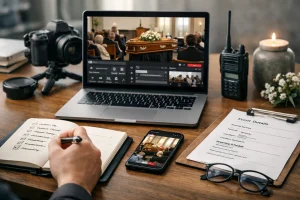
A polished stream rarely looks polished by accident. It looks polished because someone knows the order of events. Build a run sheet with the start time, music cues, speaker order, camera moves, slide moments, and hard stops.
For a hybrid event, assign one person to watch comments and viewer issues while another handles the feed. For a wedding, decide who will start the stream, who will confirm audio, and who will send the link to late-arriving relatives. For a funeral, decide who has authority to pause or stop the broadcast if the family requests it.
That little layer of role clarity reduces event-day friction fast. You do not want the MC, photographer, and livestream operator guessing at the same time.
Common Livestreaming Mistakes to Avoid
Ignoring audio problems until the stream starts
This is the most common failure point I see. The picture looks fine in preview, so everyone relaxes. Then the speaker begins, the room reverberates, and viewers hear a distant wash of sound instead of words.
Poor audio is a common reason viewers stop watching even when the video looks acceptable. That is especially brutal during eulogies, vows, and keynote talks — the exact moments people tuned in for.
Do not wait for feedback to tell you something is wrong. Monitor audio in headphones during setup. Record a short test clip. Listen back. If the room sounds echoey to you on-site, it will sound worse to someone listening on a laptop in Sydney.
Not planning for privacy or permissions
Private events can create legal and emotional problems if guests are streamed without permission or clear notice. Weddings often include children. Funerals often include vulnerable family moments. Hybrid events may include slides or speakers not cleared for replay.
Ask the obvious questions early. Is the stream public or restricted? Will the audience see the congregation or only the front of the room? Are there signs at the entrance? Has the celebrant, venue, and featured speakers agreed to the broadcast? If music is central to the event, think about whether those songs belong in the replay.
Sometimes a public platform is the right home. Sometimes it is too open for the occasion. If privacy is the priority, you may need a more controlled viewing method than a widely shared social post.
Starting without a backup plan
Relying on one device, one cable, one battery, and one internet connection is gambling. It feels efficient in the kitchen the night before. It feels reckless when a charger fails during the processional.
At minimum, carry spare cables, fresh batteries or power banks, extra storage, and an alternate network option. For larger events, a second camera angle or second laptop can be the difference between a brief hiccup and a full outage.
If you would rather not own that risk yourself, a local crew such as Livestream Company can bring redundant gear and on-site support that most families or small teams do not keep in a cupboard.
Contrarian take: the biggest livestream mistake is often assuming the video is the main event when the audience will forgive visuals before they forgive bad sound.
Tools and Resources That Help a Livestream Feel Professional
Core gear: camera, mic, tripod, and lighting

You do not need a truck full of gear. You do need the right basics. A stable mount reduces shaky footage and makes the stream easier to watch for longer than a few minutes. That alone lifts the experience.
Start with four essentials: a camera, an external microphone, a tripod, and simple lighting if the venue is dim. For many smaller events, a phone plus a good microphone and tripod beats an expensive camera used badly.
| Tool | Why it matters | Buy first? |
|---|---|---|
| External microphone | Improves speech clarity for vows, eulogies, and talks | Yes |
| Tripod or stable mount | Prevents shaky framing and operator fatigue | Yes |
| Camera or recent smartphone | Captures the event with clear framing | After audio and stability |
| LED light | Helps in dim rooms and evening receptions | If venue lighting is poor |
| Headphones | Lets you catch audio issues before viewers do | Always |
Simple rule: spend first on sound, then stability, then camera quality.
Software and switching tools for multi-camera events
Once you move beyond a single camera, software starts to matter. OBS Studio is widely used for flexible custom setups. StreamYard is popular when you want simpler browser-based control. vMix is common in more advanced production environments.
For multi-camera events, you may also use a hardware switcher such as an ATEM Mini to change sources cleanly. That helps at hybrid events where you want to cut between a presenter, the audience, and a slide feed instead of leaving viewers on one wide shot for an hour.
Good software does three practical things: it keeps your transitions clean, it lets you add titles or lower-thirds, and it reduces panic when the program changes on the fly.
Checklists for venues, speakers, and private family events
Checklists are not glamorous. They are incredibly effective. A plain printed sheet often prevents more failures than a fancy piece of gear.
Before the event, confirm these basics:
- Venue permission to stream
- Power points and cable paths
- Internet source and backup
- Audio source and monitoring plan
- Who receives the link
- Who moderates comments if needed
- Whether the replay remains available
- What is off-limits for filming
For family events, add names and mobile numbers for one tech contact and one decision-maker. For hybrid events, add slide format, speaker order, and microphone handoff notes. Small details save big moments.
Choosing the Right Approach for Weddings, Funerals, and Hybrid Events
Wedding livestreams: share the moment without distracting the ceremony
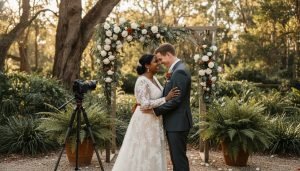
Wedding streams work best when they feel almost invisible in the room. The camera should not block the aisle. The operator should not compete with the photographer. The stream should support the ceremony, not become part of the performance.
Discreet placement matters here. A locked-off wide shot plus clean audio often beats a restless operator weaving between guests. If the couple wants extra polish, add a second angle for the entrance or readings, but keep the footprint small and the gear quiet.
Think like a remote guest. They want to see faces, hear vows, and feel the room. They do not need flashy cuts every ten seconds.
Funeral livestreams: privacy, dignity, and access control
Funeral streaming asks for a different mindset. Respect leads every decision. Keep framing calm. Avoid cluttered graphics. Do not swing the camera across mourners unless the family has clearly asked for that.
Restricted access is often the right choice. You may want a private link, tightly managed distribution, or another secure delivery method if the family wants stronger control. Decide who can watch live, who can access the replay, and how long that replay should remain available.
Dignity also means restraint. A steady shot of the lectern and front of the room is usually more appropriate than constant movement or aggressive close-ups.
Hybrid event livestreams: speaker visibility and audience engagement
Business events usually need more production logic than social events. Speakers move. Slides matter. Stage lighting can be harsh. Questions come from the floor where microphones are inconsistent. That means your stream has to handle both people and content.
For hybrid events, plan for three things: readable slides, clear presenter audio, and a view that helps remote attendees follow transitions between speakers. If there is a panel, decide in advance whether you will stay wide or cut between speakers.
Audience engagement also changes. Viewers may comment with questions, ask for the deck, or drop off if the stream lingers on an empty stage during a break. Moderation and pacing matter more here than they do at a memorial service.
| Event type | Main priority | Recommended audience approach | Production style |
|---|---|---|---|
| Wedding | Emotion and unobtrusive coverage | Private link or limited access | Discreet camera placement, strong vow audio |
| Funeral | Dignity and privacy | Restricted access with clear permissions | Steady framing, minimal graphics, careful moderation |
| Hybrid event | Speaker clarity and stage coverage | Registered or invited audience, depending on goals | Multiple angles, audio feed, slide support |
| Seminar | Instruction and audience follow-through | Targeted audience with replay plan | Presenter-focused framing, Q&A handling, readable visuals |
Practical rule: the best setup changes with the occasion, but the goal stays the same — let remote viewers feel included without distracting the room.
A strong livestreaming service lives or dies on planning, sound, privacy, and a setup that fits the room.
You do not need flashy gear to make distant family or remote attendees feel present. You need clear audio, reliable internet, and an event plan that respects the moment.
If your event were tomorrow, what part of your stream would you test first?
Bring Brisbane Events Online With Livestream Company
Livestream Company delivers high-definition coverage and private links for Brisbane weddings, funerals, graveside services, hybrid events, and family events.