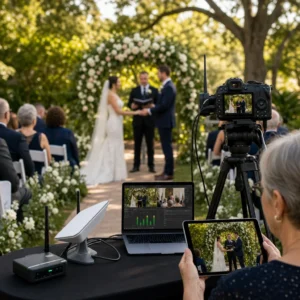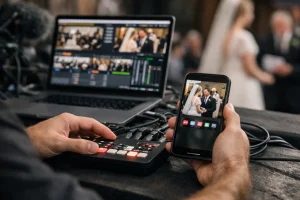
The rain started halfway through a Brisbane wedding reception under a marquee. One encoder dropped. A red status light flashed, the primary feed stalled, and the ceremony kept playing on the room screens because the spare path was already live. Most guests never noticed. That quiet handoff is what backup streaming systems are for.
You do not build that kind of calm in the middle of a problem. You build it before the celebrant speaks, before the keynote begins, before the first hymn starts at a memorial in Chapel Hill. One missed feed can fracture a moment that cannot be replayed live. Families feel it. Remote guests feel it. Clients remember it for years.
Name the exact moment that cannot fail
Start with the moment, not the gear list. Ask yourself what must stay visible and audible if the primary path dies.
- Keep the vows continuous at a wedding in New Farm.
- Keep the eulogy clear at a funeral in Indooroopilly.
- Keep the keynote and slides aligned at a conference in South Bank.
If you cannot name the exact segment that matters most, you will overprotect the wrong thing and underprotect the real risk. I have seen crews obsess over bitrate settings while forgetting that a single unmuted lectern mic matters more than fancy graphics.
List who must keep seeing and hearing the stream
Your audience is rarely one group. It is usually several, each with a different tolerance for interruptions.
- Remote family watching from London, Singapore, or Townsville on phones.
- Overflow guests in another room relying on confidence screens and clean audio.
- Business attendees joining through a live event link or another online viewing option.
- On-site staff who need to know whether the remote audience is still with you.
Write those groups down. The aunt on an iPad and the CEO on a MacBook do not experience a fault the same way. If you plan only for the control desk, you miss the real audience experience.
Set the rule for what happens when the primary path dies
Be explicit. Automatic failover means the system switches to a secondary source when the primary stops delivering data. In practice, that means deciding in advance how your production team will manage the switch, what counts as failure, what source takes over, who confirms the change, and whether you recover back to the main path automatically or manually.
That is the rule you need to define in plain language before the event starts: what counts as failure, what source takes over, who confirms the switch, and whether you recover back to the main path automatically or manually.
If the moment matters enough to stream, it matters enough to have a spare path.
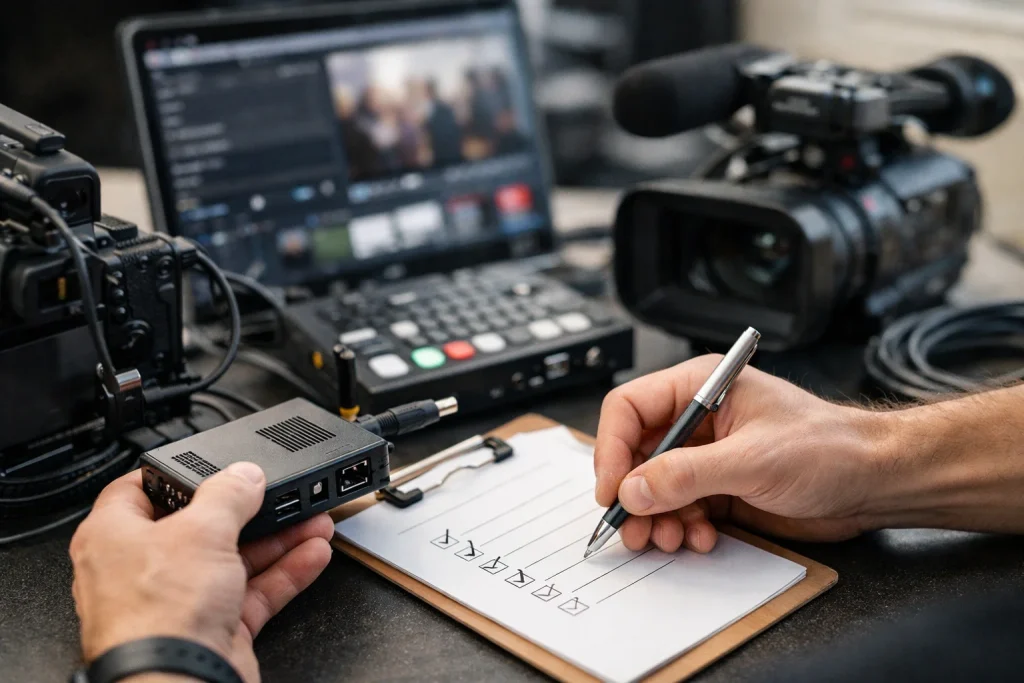
Pre-work checklist for backup streaming systems
Map the failure points while the room is quiet. It is cheaper. It is calmer. And it keeps you from discovering a missing password while guests are walking through the doors.
Watch This Helpful Video
To help you better understand backup streaming systems, we’ve included this informative video from Audio University. It provides valuable insights and visual demonstrations that complement the written content.
Confirm the primary and secondary ingest paths
Draw the full path from camera to viewer. Do not stop at “we have a backup encoder.” A real backup path includes the encoder, the network, the ingest destination, the monitoring view, and the person responsible.
| Element | Primary Path | Backup Path | Owner | Failure Trigger |
|---|---|---|---|---|
| Video encode | Hardware encoder A | Laptop or encoder B | Streaming tech | No data or frozen output |
| Internet link | Venue wired service | 5G modem on another carrier | Network tech | Packet loss or disconnect |
| Ingest destination | Primary server URL/key | Secondary server URL/key | Producer | Rejected login or no handshake |
| Audio feed | Mixer main out | Independent split or camera backup | Audio op | Silence, distortion, or wrong source |
| Viewer check | Main monitoring screen | Phone on separate network | Producer | Playback stops or drifts |
This is also where platform reality shows up. The point is to verify that your chosen workflow is supported before the event, rather than assuming the setup on paper will behave the same way live.
Choose separate internet links or carriers where possible
A backup path that shares the same weak link is not a backup. If the primary encoder and the spare encoder both ride the same congested venue Wi-Fi, you have duplicated the failure, not reduced it.
- Use different carriers when you can — for example, Telstra for one path and Optus for the other.
- Split transport types when the venue allows it — wired for primary, cellular for backup.
- Power the modem separately if possible, especially in older halls and churches.
I have watched one carrier perform well at a riverside venue in West End while another struggled once 200 guests started posting photos. Separate paths give you options when the room changes under load.
Assign who can switch sources and how they do it
Someone must own the cutover. Name them. Then name the method.
- Define who watches source health.
- Define who triggers the switch if the platform requires a manual action.
- Define who confirms playback on a viewer device.
- Define who tells the client what happened, if anything needs explaining.
A backup plan only works if the team knows who triggers it and when. That is common sense, but crews still skip it. They assume “someone” will do it. Someone is not a role.
A backup plan is not a concept; it is a named person, a spare path, and a switch procedure.
Execution checklist

Run the spare path as if you expect to need it. Because one day, you will.
Start both paths before guests arrive
Do not leave the backup cold until trouble appears. Start both paths early enough to confirm handshake, audio, framing, and viewer playback while the stakes are still low. If the backup requires logging in, selecting a scene, or patching a cable, do that before the first guest sits down.
For a funeral service, people often join early from interstate. For a seminar, the first five minutes may include sponsor mentions or compliance information. “We will spin up the spare only if needed” sounds efficient, but it fails under pressure.
Watch source health and connection quality in real time
Live events need active monitoring — picture, sound, connectivity, and audience playback. Keep your eyes on more than one screen.
- Watch the encoder status for dropped frames or disconnects.
- Watch audio meters for silence, clipping, or a missing lectern mic.
- Watch network stability on both primary and backup links.
- Watch an actual viewer output, not just the control panel.
The same logic applies to any live event production setup: test the switchover path, confirm the spare feed is active, and verify that the audience experience remains steady. Dashboards differ. Behaviors differ. Labels can sound similar while the underlying workflow is not.
Keep audio and slides synchronized across both feeds
The backup should not look or sound like a different show. Match the resolution, frame rate, audio source, and graphics chain as closely as you can. If the primary stream carries direct program audio and the backup falls back to camera mic audio, the switch will feel bigger than it needs to.
- Feed both paths from the same audio mix where practical.
- Keep slide sources identical on both outputs.
- Label scenes and inputs clearly so you do not hunt during a fault.
I see this most often at corporate events: slides on one path, camera-only on the other. The feed survives, but the audience loses the presenter’s deck. That is a continuity problem, not a success.
Don’t wait for a failure to discover whether the backup is live.
Validation checklist
Prove the spare path works under venue conditions. Desk rehearsals help, but on-site behavior tells the truth.
Force a switch from primary to backup
Test the exact failure you are planning for. If your design says the system should move from primary to secondary when the main source stops delivering data, create that condition on purpose during rehearsal. Stop the primary encoder. Pull the primary network path. Then watch what actually happens.
The desired behavior is straightforward: the secondary path should take over if the primary stops receiving data. Your job is to confirm whether your stack behaves that way in practice, in that venue, on that day.
If you haven’t forced a failover, you haven’t tested the backup.
Check playback on multiple devices and networks
One control-room preview is not enough. Test the audience side with at least a phone, a tablet, and a laptop. Put one on venue Wi-Fi. Put one on cellular. If possible, ask someone off-site to confirm from another suburb like Ipswich or Redcliffe.
| Device | Network | Check | Pass Standard |
|---|---|---|---|
| Phone | 5G | Start time, mute state, switch continuity | Plays quickly and stays stable |
| Tablet | Venue Wi-Fi | Video quality, captions, chat if used | No repeated buffering |
| Laptop | Separate external network | Slides legibility and audio sync | Readable visuals and clear speech |
Testing on the same venue network is more revealing than a desktop rehearsal in your office. Captive portals, firewall rules, and patchy Wi-Fi coverage show up fast when you test where the event will actually run.
Verify recovery back to the main path
A failover test is only half complete if you stop once the spare feed appears. You also need to know how recovery works. Does the system revert to the main source automatically? Do you need a manual cut? Does the player restart? Do viewers see a pause?
Write the answers down. Some setups recover gracefully. Others hold the backup until you intervene. Neither is inherently wrong, but both become problems when the crew assumes the opposite.
Common misses

Most breakdowns are small. That is why they hurt. Nobody plans to lose a stream because of one unchecked box, one flat battery, or one bad assumption about workflow support.
Do not assume the platform supports every failover workflow
This one catches experienced teams. Platform capability changes, so the safe approach is to verify current failover behavior before show day rather than trusting a memory from last season.
That does not make one platform good and another bad. It makes platform capability something you verify before show day. Features change. Product lines change. Old workflows disappear. Always confirm the current failover behavior you need, rather than trusting a memory from last season.
Do not forget power, batteries, and cable swaps
Power loss and loose cables are classic live-event failure points because they hide in plain sight. Your stream can be technically redundant and still collapse because the spare encoder is on the same power board as the primary switcher.
| Miss | What It Looks Like Live | Prevention |
|---|---|---|
| Shared power source | Both paths die together | Split power where safe and practical |
| Uncharged batteries | Backup device shuts down mid-event | Charge, label, and rotate packs before load-in |
| Loose HDMI or SDI | Black frame or flicker during switch | Secure and test every connector |
| Wrong audio patch | Backup comes up with no speech | Test spoken word on both paths |
| Missing login or permissions | Backup cannot publish when needed | Pre-authenticate and save credentials securely |
Do not overlook the audience experience during the switch
The audience does not care that you executed a technically elegant failover if they saw a 20-second freeze during the bride’s vows. Measure success from their side. Does the stream resume fast enough? Does audio remain intelligible? Do captions, chat, or lower thirds survive the cut?
A memorial viewer on an iPhone in Perth experiences a switch differently from a producer watching a multiview in the hall. Think about what the remote audience sees, hears, and feels when the handoff happens.
The backup fails most often where no one is watching: power, permissions, and assumptions.
Go-live checklist and client-ready handoff
Make the process repeatable. Reliable streaming is not only a technical result; it is also an operational habit.
Save the run sheet and failover steps
Keep a written run sheet for every event, even when the setup feels familiar. A written plan reduces confusion under time pressure. Save it with the event folder and keep a printed copy in the kit.
- List source names exactly as they appear on encoders and switchers.
- List primary and backup ingest details.
- List the switch trigger and confirmation steps.
- List client contacts and escalation order.
If you work weddings one week and seminars the next, consistency matters more than cleverness. A run sheet turns one successful show into a repeatable standard.
Record post-event notes on what worked and what didn’t
Do not pack the cases and move on without a short review. Note which carrier was strongest at the venue. Note whether the fallback audio was acceptable. Note if the recovery to primary created a visible bump or a momentary pause on the viewer side.
Those notes save time later. More than that, they protect trust. When a family asks whether remote relatives will stay connected for a funeral, or a business asks whether a hybrid panel can survive a network wobble, you can answer from experience instead of optimism.
Book the next rehearsal before the next live date
Repetition improves consistency across weddings, funerals, conferences, and seminars. If the next event is already booked, schedule the rehearsal window when you lock the date, not the night before the stream.
- Reuse the last run sheet as a starting point.
- Update venue-specific risks and audience destinations.
- Retest failover if any encoder, modem, or workflow has changed.
That rhythm is how good teams stay calm. Not by hoping. By rehearsing.
A dependable stream is built before the first guest sits down.
When you test the primary path, warm the spare path, and write the switch procedure, you protect the moments that cannot be replayed — from Brisbane weddings to boardroom keynotes.
That is what backup streaming systems are meant to do. Which part of your current plan would you trust without a rehearsal?
Plan Safer Event Broadcasts With Livestream Company
High-definition coverage for weddings, funerals, conferences, and corporate events helps families, guests, and teams stay connected wherever they are.